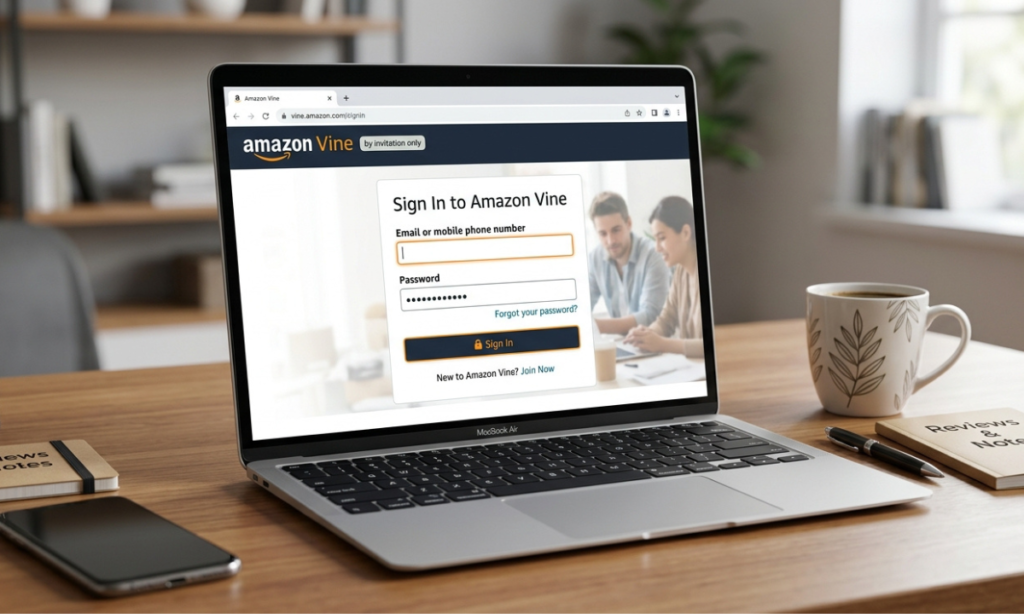

If you are searching for Amazon Vine Login, you may be trying to understand how to access Amazon Vine, who can participate, and what happens after signing in. Amazon Vine is a review program that connects selected reviewers, known as Vine Voices, with products offered by participating sellers.
Reviewers receive products and provide honest opinions to help other shoppers make informed decisions. This beginner-friendly guide explains Amazon Vine, the login process, eligibility, common access problems, security tips, and the main benefits and limitations of the program.
What Is Amazon Vine?
Amazon Vine is a customer-review program operated by Amazon. Participating sellers make eligible products available to a group of reviewers Amazon has invited to become Vine Voices. These reviewers try products and share their honest, unbiased opinions. The program is designed to provide shoppers with useful product information while helping sellers collect reviews for eligible products.
How Amazon Vine Works
The process involves both sellers and reviewers. Eligible sellers enroll qualifying products through Seller Central. Vine Voices can then request products that interest them, receive the products, and write reviews based on their experience.
Amazon says Vine Voices are selected based on the insightfulness of reviews they have published in the Amazon store. This means Vine is not simply an open program where anyone can register.
Who Can Participate in Amazon Vine?
For reviewers, participation is invitation-based. Amazon selects customers to serve as Vine Voices. For sellers, Amazon currently says participation requires a Professional selling account, an appropriate Brand Registry role or eligible generic products, and qualifying FBA offers. Therefore, having an ordinary Amazon shopping account does not automatically provide Vine access.
What Is Amazon Vine Login?
Amazon Vine Login refers to signing into the Amazon account or Seller Central account associated with Vine participation. Logging in allows an eligible participant to access the Vine features available to their account. However, logging into Amazon does not automatically make someone a Vine Voice. Reviewer access depends on Amazon’s invitation process.
Where to Access Amazon Vine
Sellers access Vine through Seller Central. Amazon’s current instructions say sellers can select Vine from the Advertising menu in Seller Central and use the Vine dashboard to enroll eligible products. Vine Voices use the Amazon account associated with their participation. If Vine features are unavailable, the issue may be related to account eligibility rather than the login itself.
Amazon Account vs. Vine Access
A standard Amazon account and Vine participation are not the same thing. Anyone may have an Amazon shopping account, but Amazon Vine is limited to invited Vine Voices on the reviewer side. For sellers, Vine access also requires the applicable selling account and program requirements. Amazon lists Professional selling accounts and qualifying FBA offers among its current requirements.
How to Complete Amazon Vine Login
If you already have Vine access, start by using Amazon’s official website or Seller Central rather than an unfamiliar third-party login page.
For sellers, the general process is:
- Sign in to your Seller Central account.
- Open the Advertising menu.
- Select Vine.
- Open the Vine dashboard.
- Review eligible products and available Vine options.
Amazon confirms that eligible sellers access Vine through Seller Central and manage enrollment from the Vine dashboard.
Accessing the Vine Dashboard
The Vine dashboard gives eligible sellers tools for enrolling products and monitoring their Vine activity. Amazon says sellers can see recommended products, search eligible FBA ASINs, choose the number of units to make available, and monitor reviews through the dashboard. The exact features visible to a reviewer or seller can depend on their account and current Amazon program rules.
What to Do After Logging In
After successful access, Vine Voices can browse eligible products available to them and request products they want to review. Sellers can use their dashboard to manage qualifying product enrollments. The most important point is to follow Amazon’s current Vine rules and review guidelines rather than relying on outdated instructions from unofficial websites.
Who Is Eligible for Amazon Vine?
Amazon invites selected reviewers to participate as Vine Voices. According to Amazon, selection is based on the insightfulness of reviews published in the Amazon store. Amazon also connects products with reviewers who have relevant purchase history and category expertise. There is therefore no guaranteed public application method for becoming a Vine Voice.
Factors That May Influence Eligibility
Amazon identifies review quality and insightfulness as factors in Vine Voice selection. Relevant purchase history and category expertise can also help Amazon connect products with appropriate reviewers. For sellers, eligibility works differently. Amazon currently lists requirements involving selling plans, brand roles or eligible generic products, and FBA offers.
Can Anyone Join Amazon Vine?
No. Amazon Vine is not an open membership program for every Amazon customer. Reviewers participate after being invited by Amazon. That means searching for Amazon Vine Login should not be confused with finding a public registration form. A regular Amazon account alone does not guarantee Vine access.
How Does Amazon Vine Work?
Selecting Products Through Amazon Vine
Vine Voices can browse products enrolled by participating sellers and request products they are interested in. Amazon says Vine connects products with invited reviewers who have relevant purchase history and category expertise.
Receiving Products for Review
Vine Voices receive participating products without paying the normal product price. In return, they provide their honest opinions in reviews. Amazon notes that Vine Voices are responsible for income tax on products they receive. Tax treatment can vary by location, so participants should consider their own applicable tax rules.
Writing Honest Product Reviews
The central purpose of a Vine review is to provide an authentic opinion based on the reviewer’s experience. Amazon describes Vine reviews as honest and unbiased. Vine Voices should therefore review products fairly rather than assuming they must give positive ratings.
Understanding Vine Review Requirements
Amazon’s program requirements can change, so participants should follow the current instructions displayed through Amazon. Sellers also need to ensure that their products meet Vine eligibility requirements. Amazon currently states that eligible products generally need an FBA listing, fewer than 30 reviews, an image and description, and other applicable requirements. Adult and digital products are among the categories excluded.
Amazon Vine Login Problems and Solutions
Incorrect Login Information
If your Amazon Vine Login does not work, first check that you are using the correct Amazon credentials. Make sure the email address and password belong to the account associated with your participation. If your normal Amazon account works but Vine does not appear, the issue may involve eligibility or account access rather than your password.
Vine Dashboard Access Problems
Sellers who cannot find Vine should check whether their account meets the current eligibility requirements. Amazon directs eligible sellers to access Vine through Seller Central under Advertising. Invited reviewers should also confirm that they are using the Amazon account associated with their Vine participation.
Browser and Technical Issues
Temporary technical problems can sometimes interfere with account access. Try refreshing the official Amazon page, signing in again, or using an updated browser. Avoid entering your Amazon credentials into websites claiming to provide a special Vine login.
When to Contact Amazon Support
If your account credentials work but expected Vine features remain unavailable, use Amazon’s official support channels. This is safer than paying an outside service or sharing your login details with another person.
Amazon Vine Account Security Tips
Protecting Your Amazon Account
Use Amazon’s official website when signing in and keep your password private. Your Amazon account may contain personal and payment information, so account security should always be a priority.
Avoiding Suspicious Login Links
Be careful with websites or messages that use phrases such as Amazon Vine Login but are not operated by Amazon. Check the domain carefully before entering your credentials. Never assume that a third-party website is legitimate simply because it uses Amazon’s name or logo.
Keeping Your Account Information Private
Do not share your Amazon password or security verification codes with anyone. Legitimate account support should not require you to give your private login credentials to another individual.
Benefits and Limitations of Amazon Vine
Benefits for Vine Voices
Vine Voices can request eligible products and receive them without paying the standard product price in exchange for providing reviews. They can also review products that match their interests and experience.
Benefits for Amazon Sellers
Vine can help sellers collect authentic reviews and provide shoppers with additional information about products. Amazon says the program can help improve product discoverability and provide valuable customer insights.
Important Limitations to Consider
Vine does not guarantee positive reviews. Vine Voices provide their own opinions, and sellers cannot simply control what reviewers write. The program also has eligibility requirements and costs for sellers. Amazon states that enrollment fees can apply depending on the program terms and that sellers are not charged when an enrolled product receives no Vine review within 90 days.
Conclusion
Understanding Amazon Vine Login starts with knowing that Amazon Vine is an invitation-only review program for selected Vine Voices. Invited reviewers can request eligible products and share honest, unbiased opinions, while eligible sellers use Seller Central to enroll products in the program.
If you are trying to access Vine, always use Amazon’s official website or Seller Central and make sure you are signed into the correct account. Remember that having a regular Amazon account does not automatically provide Vine access. For the latest eligibility requirements and program rules, check Amazon’s official Vine information because policies can change.
FAQs
What Is Amazon Vine Login?
Amazon Vine Login refers to accessing the Amazon account or Seller Central account associated with Vine participation. Vine Voices are invited reviewers, while sellers access Vine through Seller Central.
Can Anyone Join Amazon Vine?
No, Amazon Vine is not an open program that anyone can simply register for. Amazon invites selected reviewers to become Vine Voices based on factors such as the insightfulness of their reviews.
How Do Sellers Access Amazon Vine?
Eligible sellers can log in to Seller Central and select Vine from the Advertising menu.
From the Vine dashboard, sellers can enroll qualifying products and monitor their Vine activity.
Do Vine Voices Get Products for Free?
Yes, Vine Voices can request participating products without paying the normal product price. Amazon states that Voices receive products free of charge in exchange for honest, unbiased reviews.
What Should I Do If Amazon Vine Login Does Not Work?
First, make sure you are using the correct Amazon account and official Amazon website or Seller Central. If you still cannot access Vine, use Amazon’s official support resources instead of sharing your login details with third parties.